Dashboards once promised visibility. Numbers sat in charts, leadership reviewed snapshots, and progress looked clear, at least on paper. A dated snapshot can be enough for periodic review when changes can wait. Connected data is more useful when a signal needs a response before the next review. Agree who maintains the source and how often it is updated. Check who can configure automation and which trigger conditions must be met; Lark's automation FAQ explains these limits.
Hypothetical example: an overdue onboarding action
- Define the signal in a Base onboarding record: an unfinished action one working day past its due date. That threshold is illustrative; agree that the record owner updates status by 9 a.m. each working day.
- Assign Maya as the illustrative owner and Alex as backup. Send a Messenger notification or assign a task that links to the record; agree that Alex takes over if Maya is unavailable.
- Maya checks the blocker with the onboarding team, arranges the missing action by 3 p.m. that day, or records a revised deadline and reason if it cannot be completed.
- Check completion with the person doing the work and update the source record with the result. A sent alert or finished discussion is not proof of resolution.
- If status is stale or missing, ask its maintainer to confirm it before acting. If the notification fails, contact Maya or Alex directly. Test one small case, including stale data and a missed notification, before wider use.
Lark Base: live data with multiple perspectives
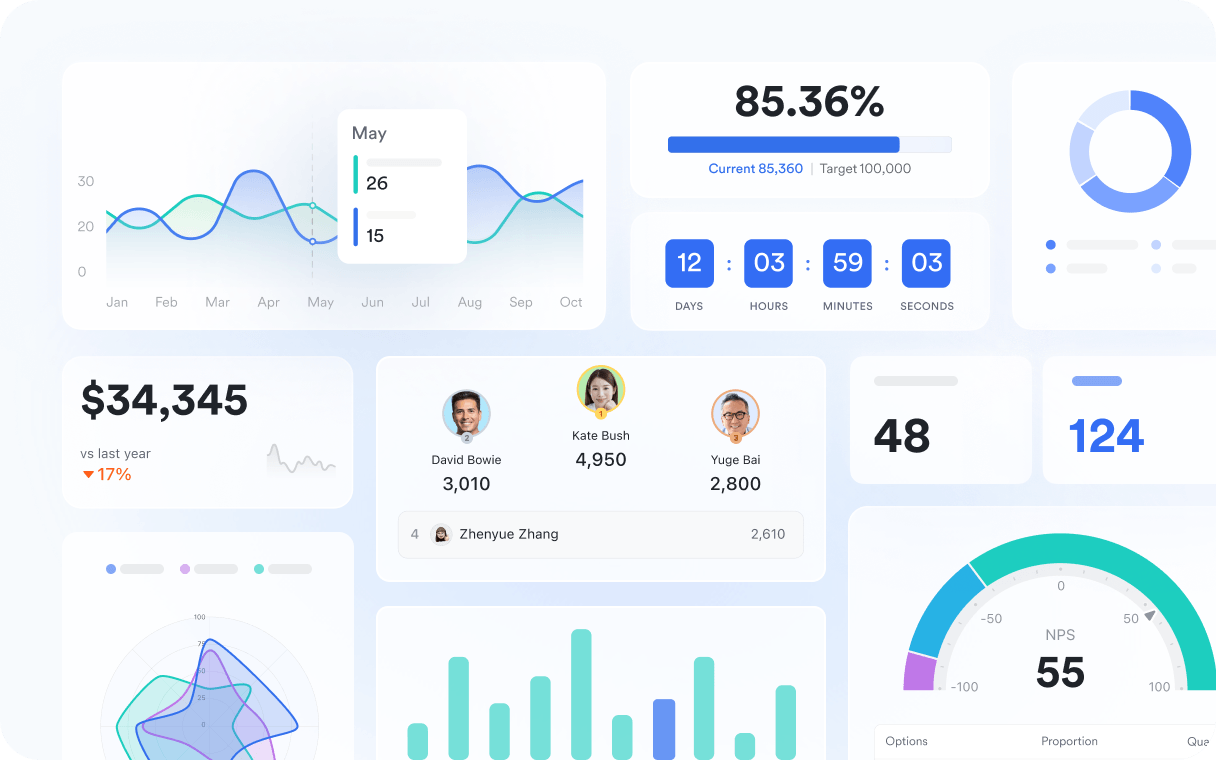
Right after the introduction, the foundation is Lark Base. Base structures information so it updates in real time and remains usable by every team. Multiple views, including grid, kanban, timeline, and dashboards, give leaders detail and clarity. Advanced fields capture the attributes that matter, while permissions keep the right people in the loop. Automations inside Base can post updates, write to records, or trigger follow ups the moment something changes. With these abilities to track information and visualize data, Lark has become their everyday CRM app for many teams, which means customer work, projects, and operations all live in one connected place where data is never static.
Lark Sheets: analysis that adapts

Spreadsheets are still where patterns emerge, but they cannot be frozen. In Lark Sheets, teams co-edit the same model, apply formulas and pivot tables, and highlight trends with conditional formatting. Protections safeguard critical ranges without stopping collaboration. Since Sheets can be embedded in Docs or presented in Slides, a single source of truth can power many moments. When inputs change, calculations and any linked views change with them, which keeps the analysis current rather than captured in one screenshot.
Lark Messenger: context that travels with the data
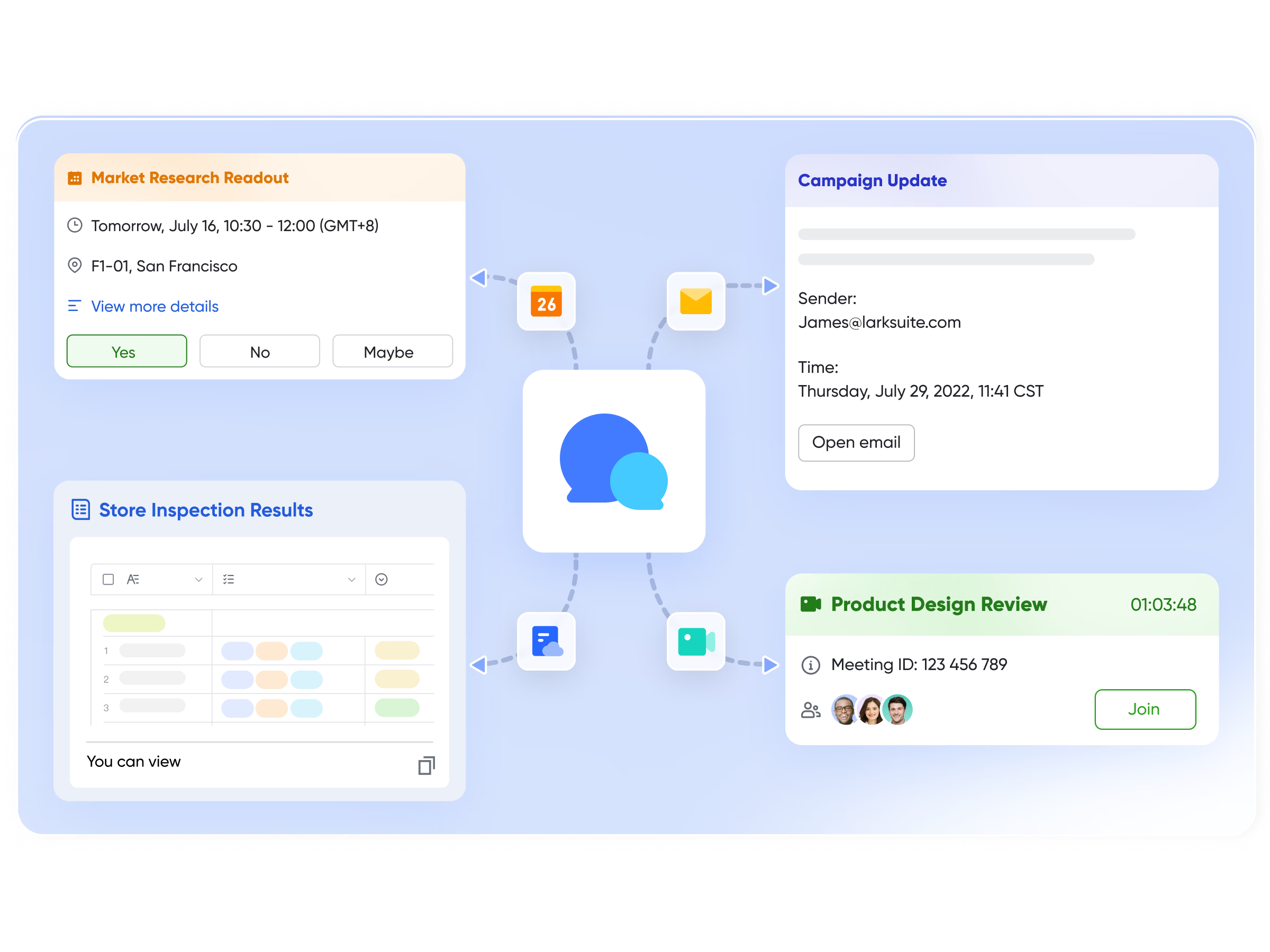
Numbers alone do not explain themselves. Lark Messenger gives data a voice. Teams share metrics where work already happens, in one-on-one chats and Groups. Pinned messages and threaded replies keep discussions focused on the specific chart or record. Buzz notifications can flag urgent shifts for attention; someone still needs to check the signal and decide how to respond. Screenshots and "Image to Text" help turn visual updates into actionable notes, and decisions link back to the records that started the discussion.
Lark Calendar: time as a first-class signal
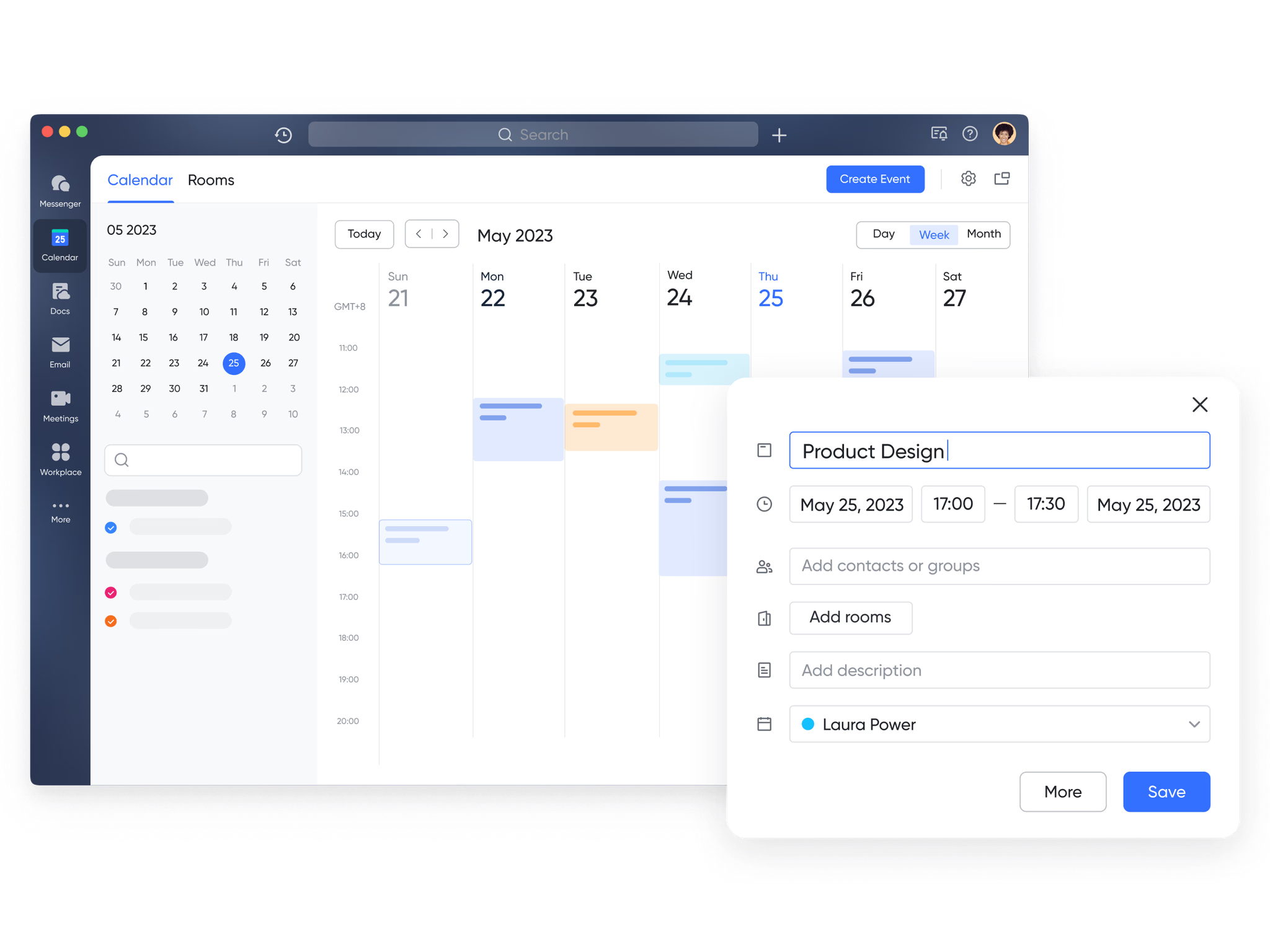
A bar chart without time is only half a story. Lark Calendar helps teams review dates and commitments. Personal and shared calendars, recurring events, and availability views help teams plan realistically. To display tasks you own, select My tasks in Calendar's Managing category and set at least one milestone, such as a deadline; untimed tasks will not appear. See Lark's task display guide. When a schedule slips, use Calendar to review tradeoffs and decide whether to adjust resources or deadlines.
Lark Tasks: activity tied to outcomes
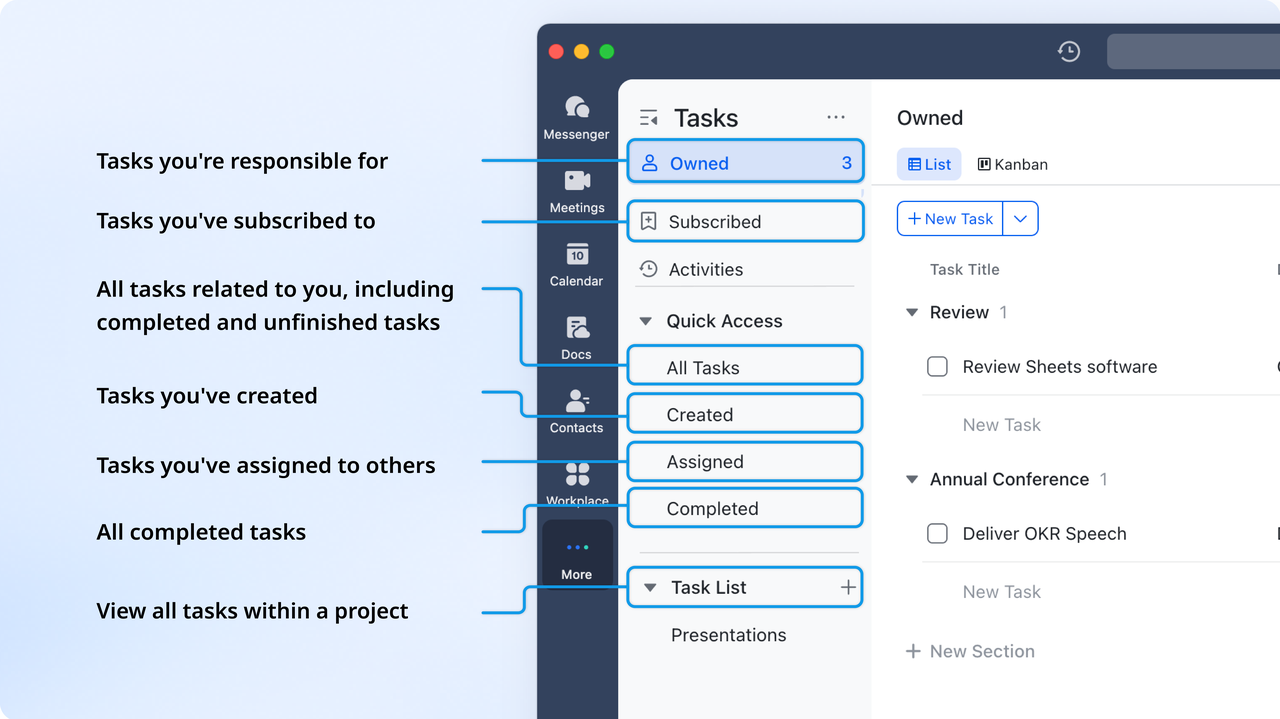
Checklists are not enough unless they connect to goals. Lark Tasks links assignments to projects and supports owners with reminders. In Calendar, tasks you own appear when My tasks is selected and at least one milestone, such as a deadline, is set; untimed tasks are not displayed. Managers can see what is on track and what needs help. Because tasks live next to the conversations and schedules that shape them, progress is not just captured, it is encouraged.
Lark Approval: processes that produce measurable signals
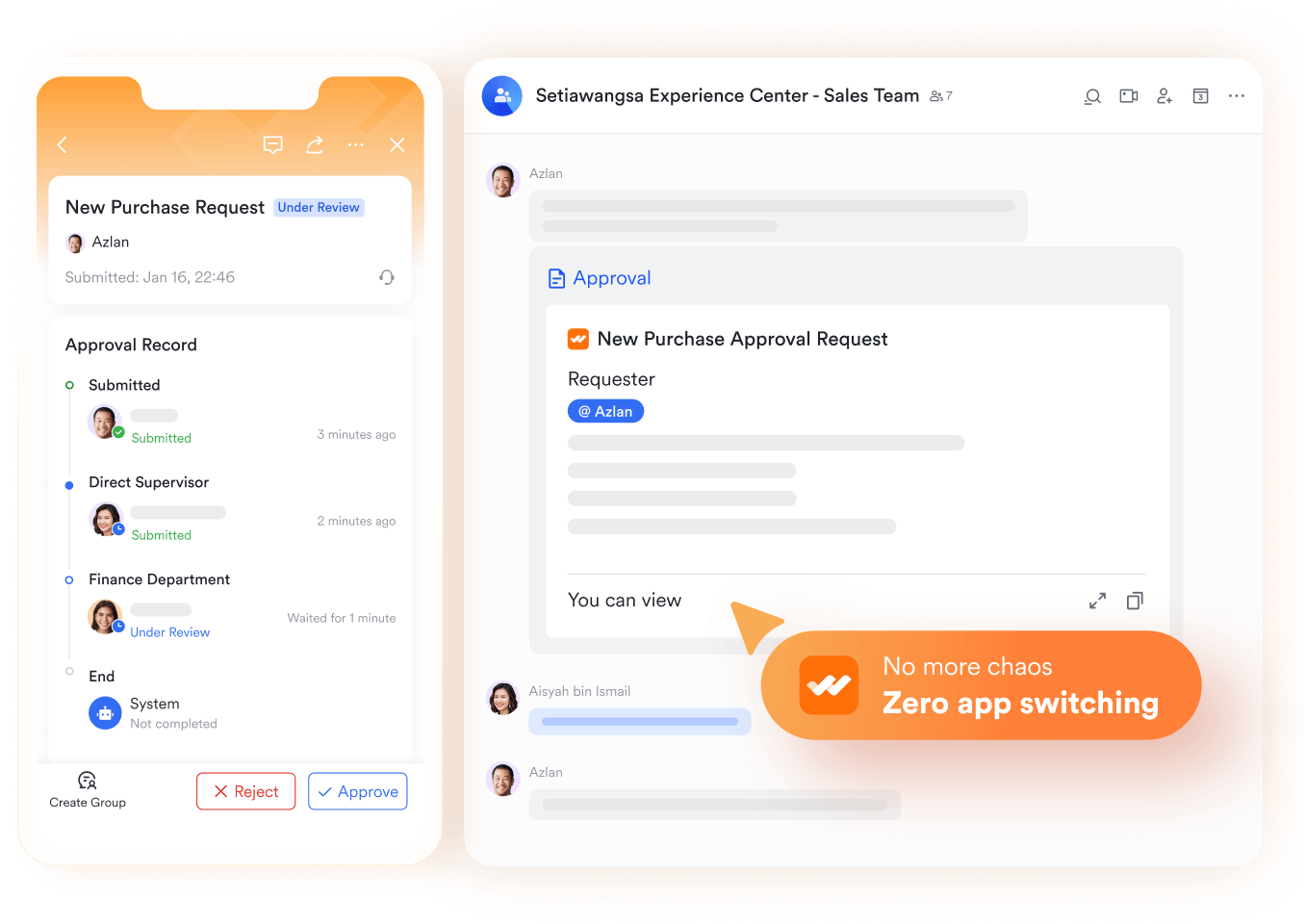
Every key metric flows from a process. Lark Approval brings those processes into the light. Customizable forms collect the right inputs, conditions route requests to the right reviewers, and notifications arrive in Messenger, so decisions move quickly. Results can sync to Base for reporting, which means operational steps feed the same system that leaders use to read performance. This is how Lark reflects the value of modern business process management software: simple to run every day, yet structured enough to scale.
Lark Docs: narratives that evolve with every update
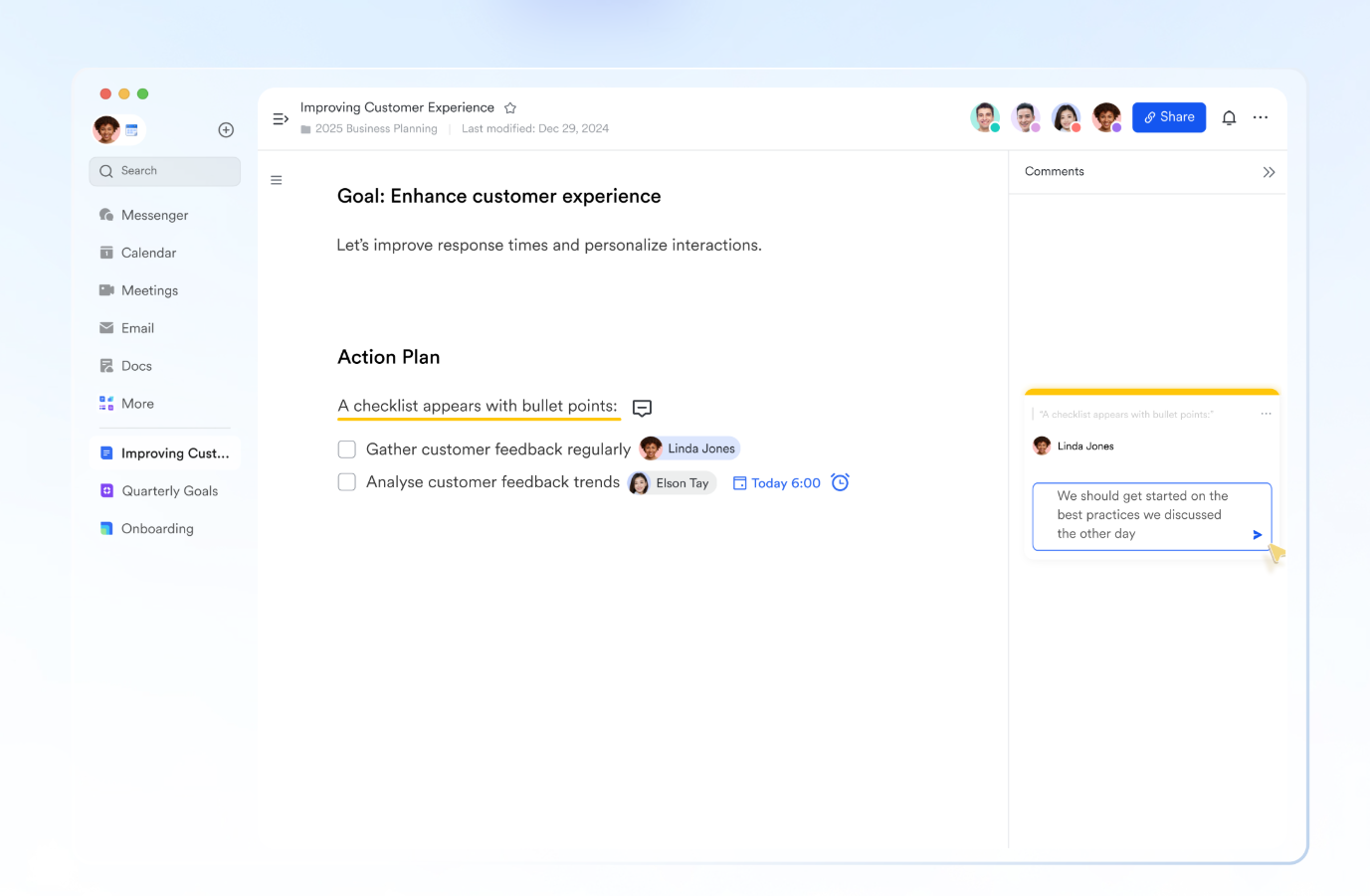
Static dashboards struggle to carry context forward. Lark Docs turns numbers into living narratives. Teams co-edit commentary in real time, embed Sheets and charts, and add bi-directional links so related work stays connected. Version history keeps changes transparent. Docs are where insights are debated, refined, and turned into decisions that people can follow later, complete with the trail of how the team arrived there.
Lark Wiki: institutionalizing proven insights

Once the team agrees on an approach, it should not vanish into folders. Lark Wiki publishes polished guidance and reference material in a structured, searchable system. Hierarchies organize knowledge, permissions control visibility, and analytics help owners see what content is used. This is how a single learning, once discovered, scales across the company without copying slides or emailing attachments.
Lark Meetings: decisions, not just discussion
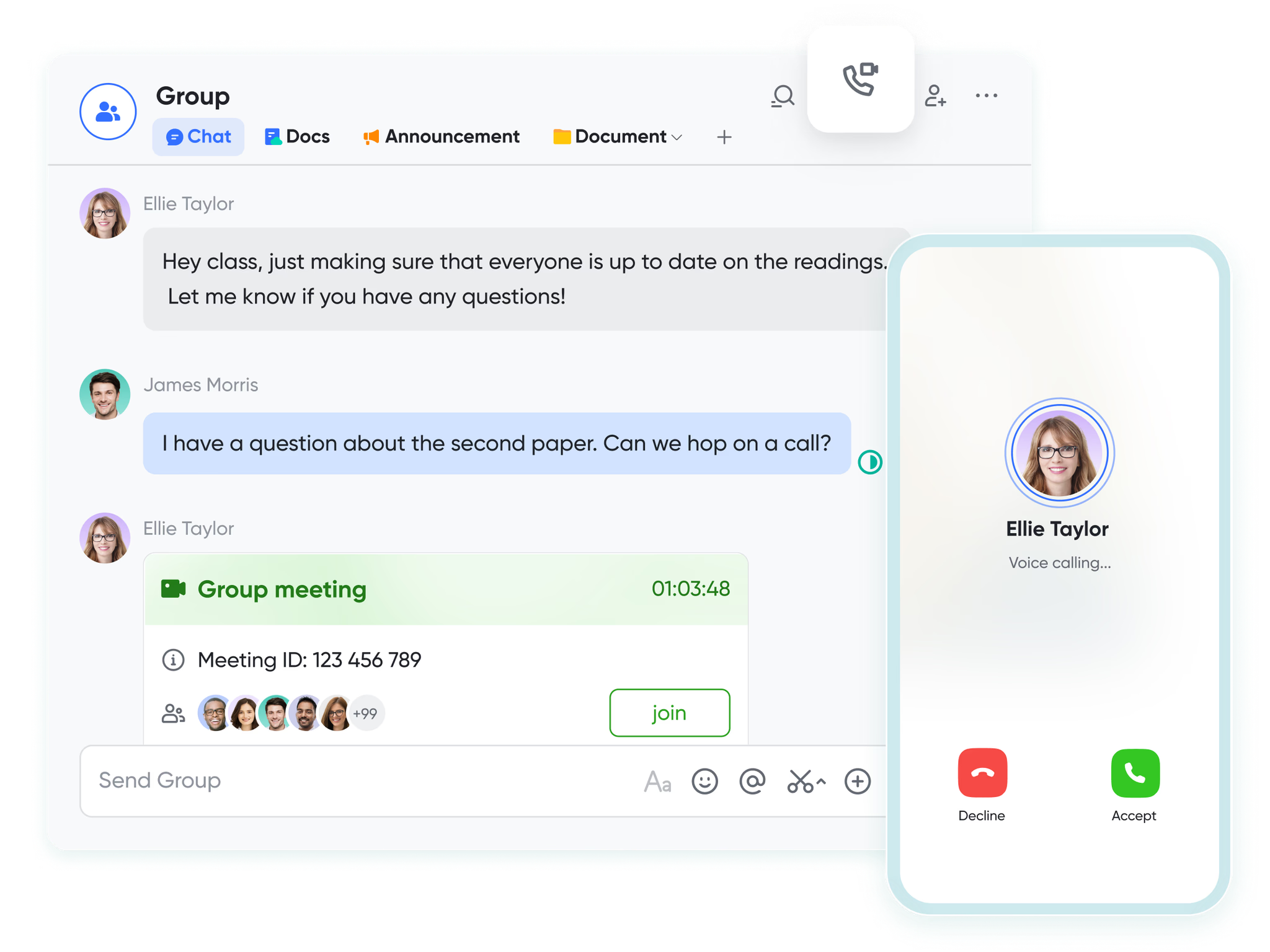
Metrics usually trigger conversations. Lark Meetings supports those conversations. With Magic Share, everyone views the same live content, not a static export. Subtitles increase inclusion, and breakout rooms help smaller groups resolve issues fast. Cloud recordings preserve context for people who could not attend. Participants still need to record decisions, assign owners, and agree on next steps tied to the numbers.
Lark Minutes: searchable records that create momentum

After a discussion, details matter. Lark Minutes provides transcription with speaker IDs, meeting recordings, speech, and searchable dialogues. The interactive transcript lets teams jump to the exact moment where a decision was made. Clip sharing gets key moments to stakeholders who need them, and podcast mode helps people review while on the go. Insights that once disappeared after the call now become searchable signals that move work forward.
Lark Mail: external inputs that stay in the flow
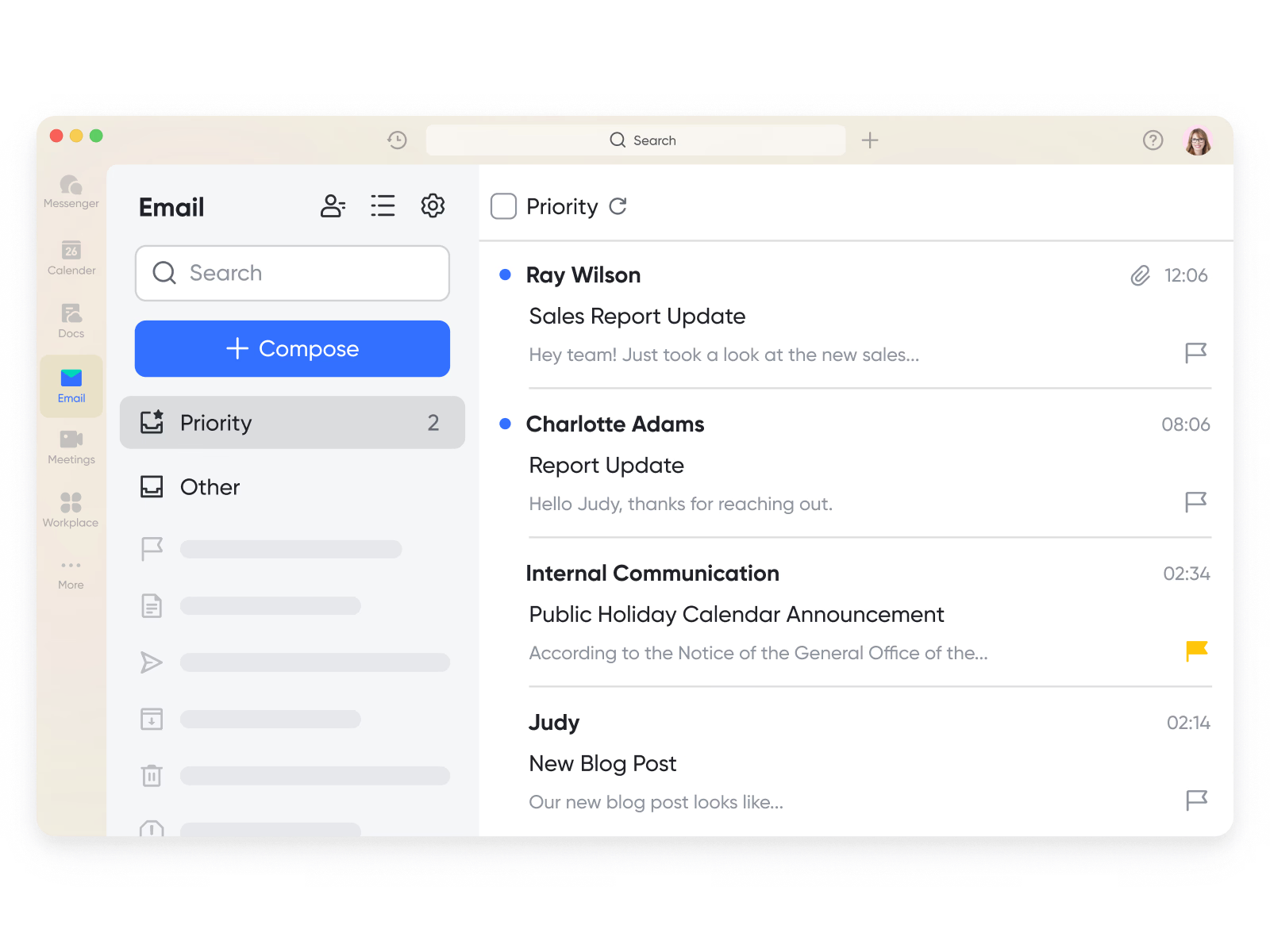
Important signals often arrive from the outside. Lark Mail keeps partner and client messages connected to the same system that runs the work. Teams can schedule send, recall messages, and track read receipts. Emails can be shared into Messenger when a quick decision is needed or converted into Calendar events when a date becomes real. For migration, an administrator must first complete configuration in the Lark Admin Console and initiate the process. Follow the Google/Exchange or other-provider instructions in Lark's migration guide and monitor the inbox progress bar for completion. Check that needed mailbox history is present before relying on the new workspace.
Lark OKR: goals that make data meaningful
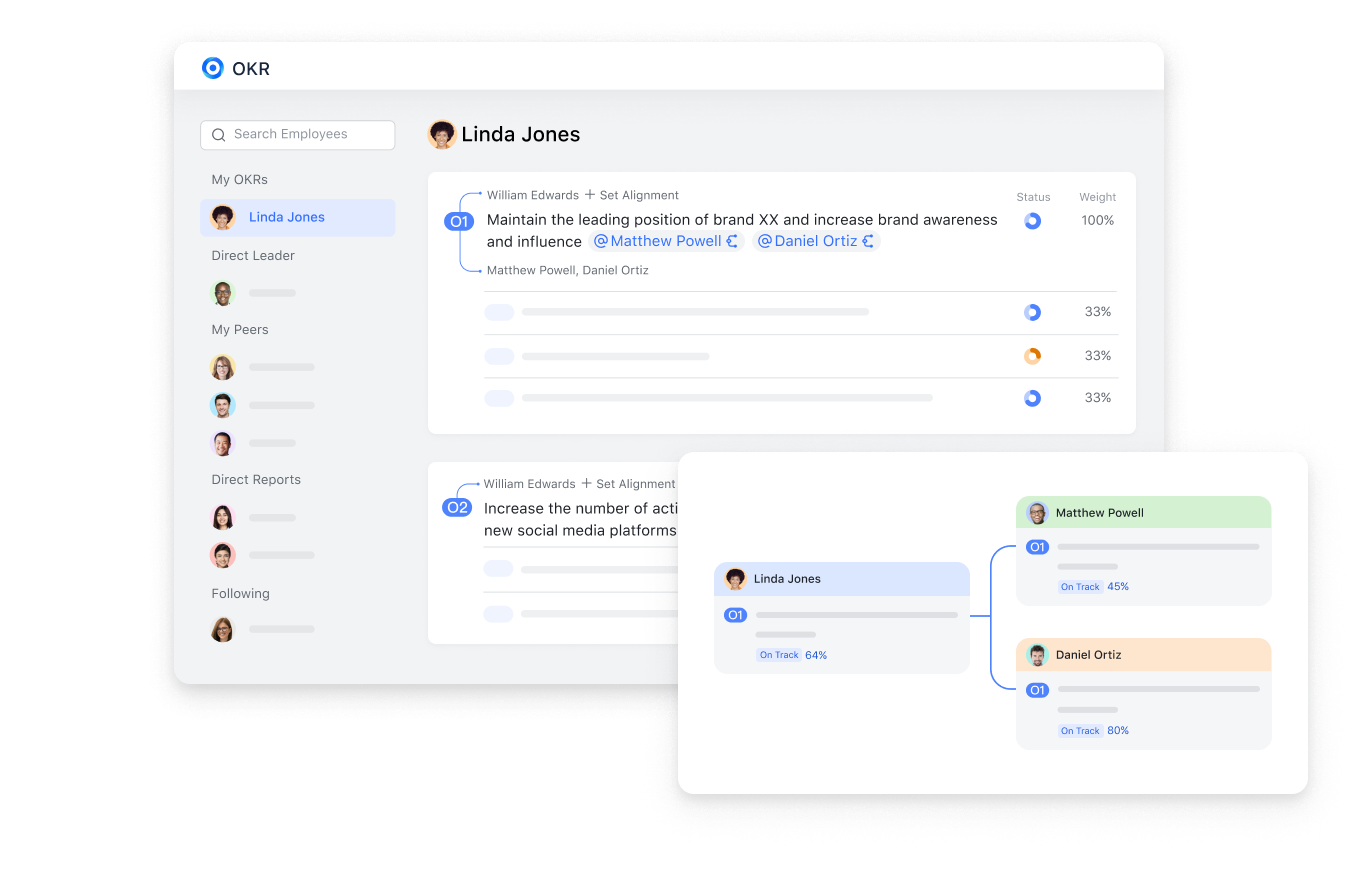
Data gains meaning when connected to goals. Lark OKR makes objectives and key results visible across the organization. Dashboards show progress, reminders can prompt owners, and admin cycles provide a regular review structure. Use these views for accountable review: owners should check progress against source records, explain changes, and agree on follow-up rather than waiting for a quarter-end slide.
Conclusion
Snapshots can serve periodic review; connected data helps when action cannot wait. If you are evaluating the best project management tools, look beyond attractive charts and test how information connects to action. Check source freshness, ownership, and automation permissions and triggers. Current information depends on maintained inputs, and useful action requires people to check progress, record follow-up, and verify results against the source.