
.svg)
.svg)


Bitcoin has crossed the $81,000 per token mark for the second time in the last seven months. With a market cap of over $1.5 trillion, BTC is still the most influential cryptocurrency worldwide.
PayPal has over 439 million active users. That’s an incredible pool of clients waiting to get their hands on the most progressive digital asset, BTC. You can buy Bitcoin with PayPal on the top five BTC on-ramp platforms.
Platform | PayPal method | Supported regions | Fees | Wallet delivery | KYC | Key limitations |
Paybis | Direct BTC purchase with PayPal | Selected EEA countries, UK, US states | Shown at checkout | Paybis or external wallet | Required | Availability and limits vary by region |
Coinbase | Direct crypto purchase | Eligible US, UK and EU markets, as well as Canada and Australia | Fees and spread | Coinbase wallet, then the external wallet | Required | Funding sources vary by country |
MoonPay | Direct PayPal checkout | US, UK and most EU markets | Shown at checkout | External wallet | Required | Regional exclusions apply |
Kraken | PayPal fiat deposit | US, UK, EEA and Australia in eligible markets | Varies | Kraken wallet, then the external wallet | Required | 72-hour withdrawal hold |
Bitpanda | PayPal fiat deposit | Selected European countries | Trading premium | Bitpanda wallet, then the external wallet | Required | Seven-day restriction on PayPal-funded amounts |
5 Best Platforms to Buy Bitcoin With PayPal in 2026
To buy Bitcoin with PayPal, you can use these top five Bitcoin on-ramps:
1. Paybis
Paybis is a BTC on-ramp platform. It provides various payment methods, including PayPal. You can use your PayPal account to buy Bitcoin and over 90 cryptocurrencies available on the platform.
To exchange your fiat for BTC on Paybis, you should comply with the KYC requirements. Then, you can send your BTC straight to your private non-custodial wallet or keep it in a Paybis wallet. The platform fees are displayed at the checkout. Its service fee starts at 0.99% for bank transfers and goes up to a 4.5%-8.5% processing fee, depending on your currency.
Paybis transaction limits for bank transfers range from $200 to $1000000 per transaction.
2. Coinbase
Coinbase is a Bitcoin-friendly crypto exchange that provides a PayPal payment option for supported regions. You can use Coinbase to purchase BTC and other available cryptos through PayPal. The platform functions in all major regions except countries like Syria, Iran, North Korea, and Cuba.
To exchange crypto with Coinbase, you will need to complete KYC verification. The platform has its own wallet for you for this purpose. Then, you can send your asset to your private wallet. Coinbase fees are calculated at the moment of placing orders and vary depending on the payment method. Coinbase One is a subscription-based product that entitles users to zero trading fees when buying and selling cryptocurrencies.
3. MoonPay
MoonPay is another BTC on-ramp platform that provides PayPal payments. You can use your PayPal to directly purchase Bitcoin and other cryptos in supported regions (the US, UK, and EU; except Croatia, Hungary, and Iceland). You should have your own non-custodial wallet to trade with MoonPay.
The platform asks you to complete the KYC procedure to comply with anti-money laundering regulations. MoonPay fees start at 1% for bank transfers and go up to 4.5% for credit and debit card transactions. However, if you are from Russia, Iran, Sudan, Syria, China, North Korea, or Ukraine, you cannot use MoonPay services.
MoonPay has regional limits. For example, residents of the US state of Maine can transfer up to $2,999 per transaction. You can use MoonPay to purchase BTC for as little as $20 (or equivalent amount in another currency).
4. Kraken
Kraken is a BTC crypto platform that supports deposits through PayPal and offers over 600 cryptocurrencies. However, you should first sign up for Kraken, send fiat through PayPal, and then buy crypto with your funds.
You need to comply with KYC to trade with Kraken. It involves verifying your personal data, completing a selfie check, and submitting your ID. Kraken fees range from 1% to 1.5% depending on transaction type. You can use a monthly Kraken subscription for $4.99. It waives trading fees on up to $10,000 monthly trading volume.
Kraken has a 72-hour withdrawal hold on PayPal deposits. The platform is restricted in Afghanistan, Belarus, Cuba, Iran, Iraq, Libya, North Korea, Russia, Sudan, South Sudan, and Syria, among others.
5. Bitpanda
Bitpanda is a Bitcoin crypto on-ramp that offers a PayPal deposit option. You can make instant deposits with PayPal in selected countries. Simply log in to your Bitpanda account, choose deposit, and select PayPal among currencies.
The platform follows the KYC requirements. Bitpanda offers over 600 cryptos and has over 7 million users. For popular coins like BTC, Bitpanda offers a minimum fee of 0.99%. It has a 2.49% fee for certain altcoins. One of the biggest Bitpanda limitations is its 7-day withdrawal hold on deposited funds with PayPal.
How to Buy Bitcoin With PayPal
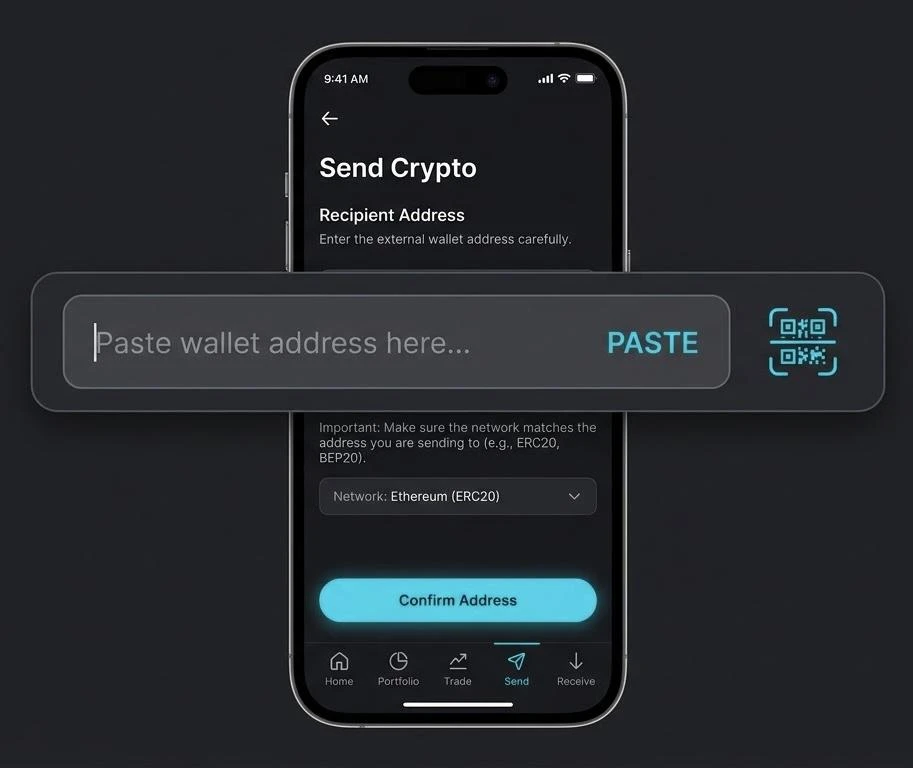
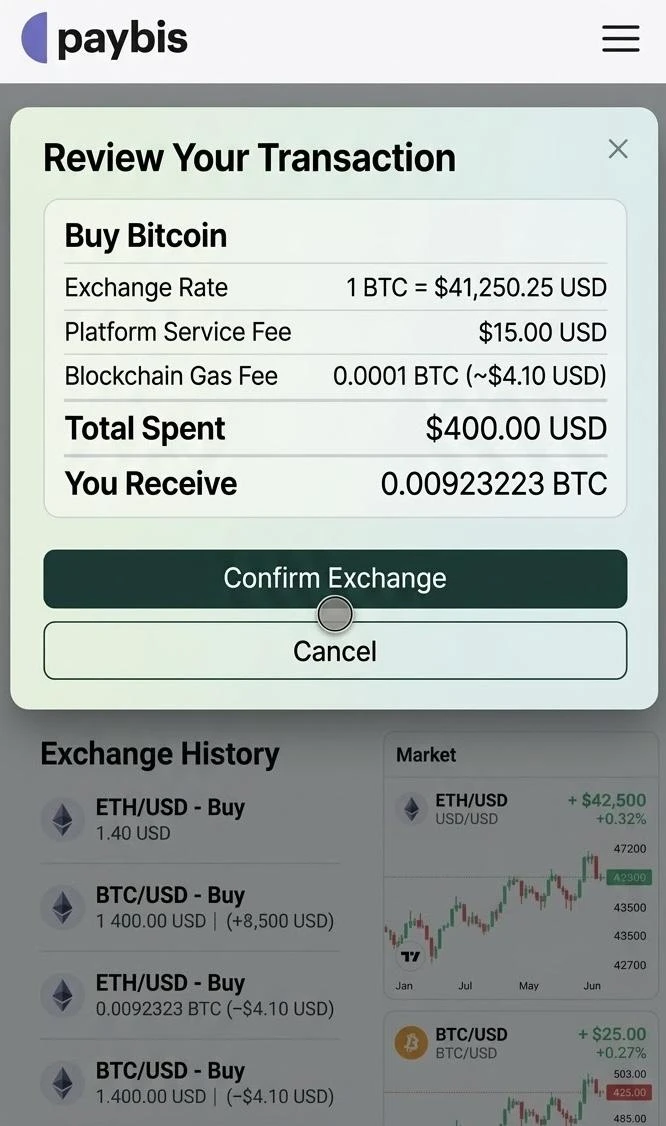
Let’s take a look at Paybis’ BTC purchasing process:
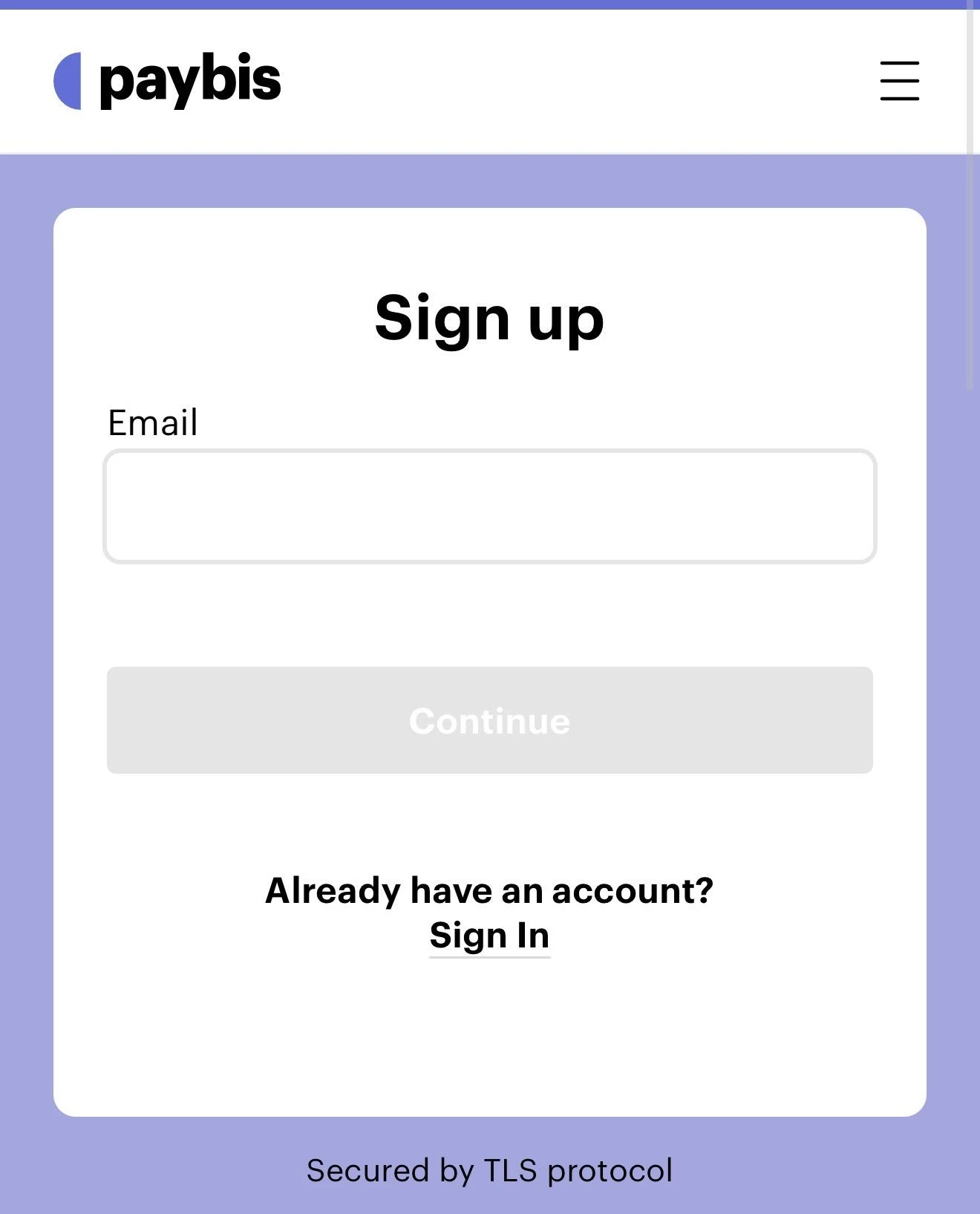
- Create an account on the platform.
- Complete the KYC process and upload all required documents.
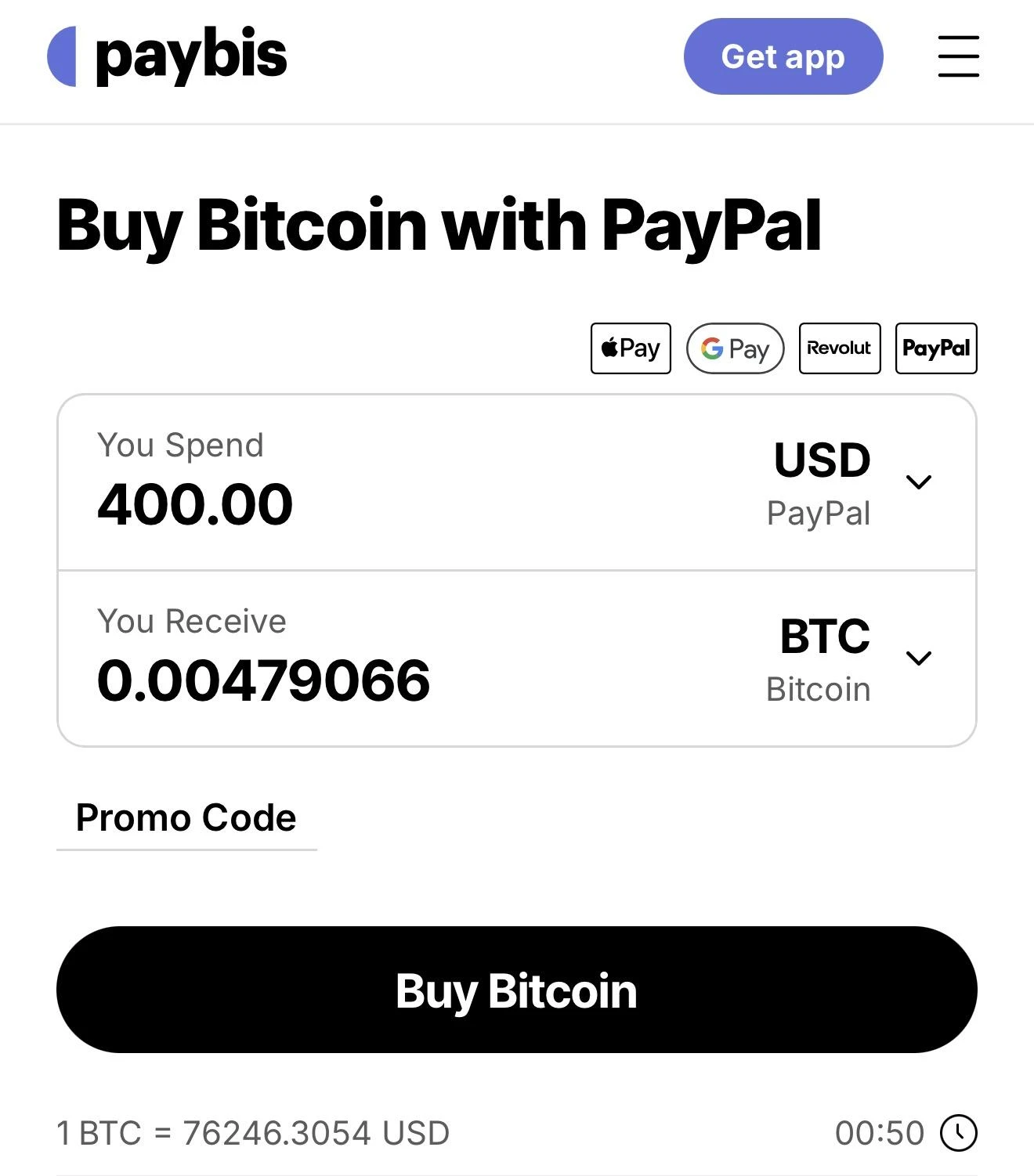
- Select BTC.
- Next, choose the blockchain you want.
- Then, enter the fiat amount you want to exchange for the asset you chose.
- Next, enter your wallet address.
- Check the review screen for the exchange rate, platform service fee, blockchain gas fee, and final total.
- Finally, choose PayPal as your payment method.
Once you've gone through all the steps, you will need to complete the 3D Secure check. PayPal might require you to authenticate the transaction by opening your mobile PayPal app and completing a biometric face scan or entering a time-sensitive SMS code. Paybis warns you to ensure that your physical card supports 3D Secure.
After the 3D Secure check, wait for your crypto to be delivered to your crypto wallet. Then confirm you received the correct amount of crypto.
FAQs
Can I buy Bitcoin with a card linked to PayPal?
Yes, you can use your card linked to PayPal to on-ramp your fiat and buy crypto like Bitcoin.
What are the fees for buying Bitcoin with PayPal?
The BTC purchasing fee varies from platform to platform. It usually stands at 1%. However, you should always check the final purchase review before clicking “Buy.”
Can I send purchased Bitcoin to an external wallet?
Yes, you can. Most BTC platforms that support PayPal deposits allow you to send assets to your external self-custody wallet.
Does PayPal require KYC for Bitcoin purchases?
PayPal may require you to complete KYC to deposit your funds to crypto platforms (depending on your country). However, for security reasons, most BTC crypto platforms ask users to comply with the KYC protocol.
Final Thoughts
When it comes to BTC purchases with PayPal, there is no one-size-fits-all choice. You should go with the BTC on-ramp platform that supports PayPal payments based on their fees, regional availability, purchase limits, and withdrawal conditions. By comparing these aspects, Paybis presents the optimal overall solution.


%20(1).png)
%20(1).png)
.svg)


.png)
.png)


.png)


